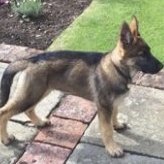
Countryfox Posted 10 March 2016 Posted 10 March 2016 I have asked this in the questions thread but I probably should have put it in here ... all my pics come out sideways or upside down !! ... don't know what I am doing wrong. The method I use is in the question thread .. please help. Will attach a pic and lets see what happens .... There you go !!!!
Des. Posted 10 March 2016 Posted 10 March 2016 I usually use an image host like imageshack or tinypic, upload my picture to that and then post the url for image in [ img ] [ /img ] tags.
AKCJ Posted 10 March 2016 Posted 10 March 2016 I usually use an image host like imageshack or tinypic, upload my picture to that and then post the url for image in [ img ] [ /img ] tags. That's the long way around Des. Click the little picture of the tree, past the URL and fannys your uncle's aunties brother.
Captain... Posted 10 March 2016 Posted 10 March 2016 I have asked this in the questions thread but I probably should have put it in here ... all my pics come out sideways or upside down !! ... don't know what I am doing wrong. The method I use is in the question thread .. please help. Will attach a pic and lets see what happens .... There you go !!!! Press CTRL+ALT and the Right arrow Key and it will turn it the right way
Countryfox Posted 11 March 2016 Author Posted 11 March 2016 Press CTRL+ALT and the Right arrow Key and it will turn it the right way Whats that on a mac skipper ? Used pc's all my life but am now all appled up (phone, pad, computer) ...
Countryfox Posted 11 March 2016 Author Posted 11 March 2016 I usually use an image host like imageshack or tinypic, upload my picture to that and then post the url for image in [ img ] [ /img ] tags. That's the long way around Des. Click the little picture of the tree, past the URL and fannys your uncle's aunties brother. In English please ....
Countryfox Posted 11 March 2016 Author Posted 11 March 2016 No ... still can't do it ... tried everything ..... come on you geeks lend a hand !!
Countryfox Posted 11 March 2016 Author Posted 11 March 2016 Starting to get the hang of it now .... you have to do a small edit before sending ... this is like my very own private thread.
Countryfox Posted 11 March 2016 Author Posted 11 March 2016 Think i've got the hang of it now ! ..... but thanks for all your help !?!? You can close this thread down now if you want. Last 2 pics were a LCFC supporter waiting for his team to win the FA Cup ... and a toilet somewhere with a what looks like a picture of Vardy on the wall.
Countryfox Posted 11 March 2016 Author Posted 11 March 2016 That's great. Fook off Wymes this is my thread and no one else is allowed in ! I just talk to myself. But ta anyway.
Countryfox Posted 13 March 2016 Author Posted 13 March 2016 Why do mine always say attached thumbnails? Welcome to my thread Boosy. And in answer to your question .... I haven't got a clue .... But if you find out let me know.
Great Boos Up Posted 27 April 2016 Posted 27 April 2016 For the last week the site will only let me add 19KB of data so I can't post any pictures ?? You can upload up to 19.01KB of files (Max. single file size: 19.01KB)

Recommended Posts
Archived
This topic is now archived and is closed to further replies.